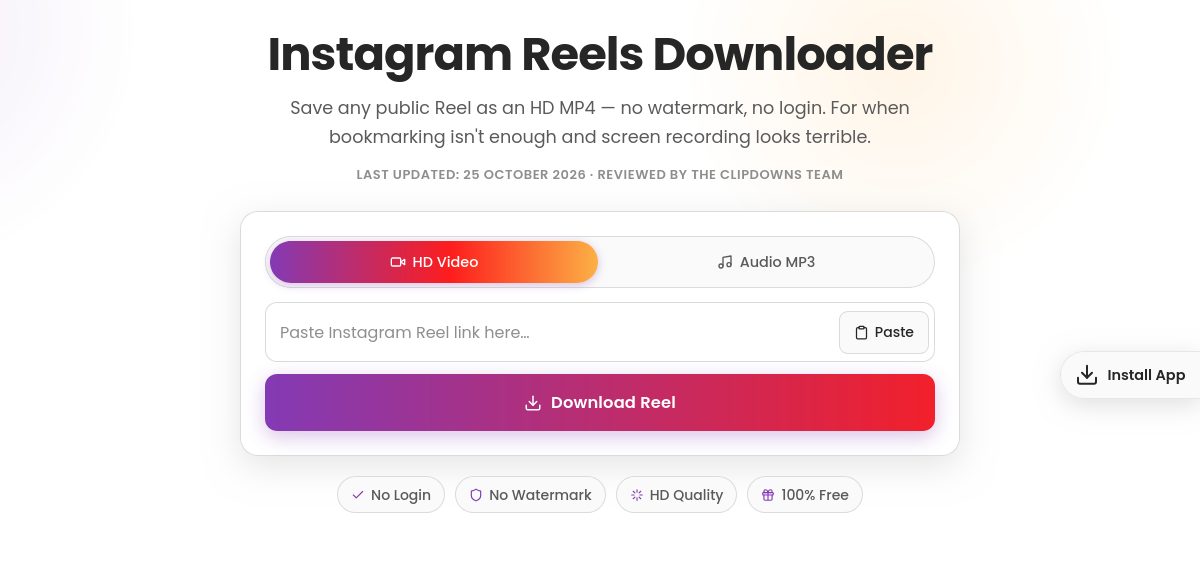
Instagram Reels Downloader
Save any public Reel as an HD MP4 — no watermark, no login. For when bookmarking isn't enough and screen recording looks terrible.
Last updated: 25 October 2026 · Reviewed by the ClipDowns Team
- No Login
- No Watermark
- HD Quality
- 100% Free
Why Reels Are the Hardest Thing to Keep
Reels are Instagram's most disposable format: vertical, fast, gone from your feed in hours. Instagram gives you a bookmark button and nothing else — no save-to-device option, no offline copy. The moment the creator deletes the Reel, your bookmark is a dead link.
This tool pulls the actual Reel file. Paste the link, get the HD MP4 in seconds — full vertical video, original audio included, no watermark stamped on it.
Is Downloading a Reel Different From a Regular Video?
Honestly? Barely. A Reel is a video file like any other — vertical, usually under 90 seconds, often with trending audio attached. The download works exactly the same way: link in, MP4 out.
The one thing that makes Reels special is the audio. Half the time people want the Reel for its sound — a trending song, a voiceover, a remix. If that's you, grab the video here, or jump to the audio downloader page to pull just the sound as an MP3.
Why Not Just Screen-Record It?
Because you've seen the results. Screen recordings of Reels come out wrong in every way that matters:
- The Instagram interface — like button, caption, progress bar — gets baked into the video permanently
- Resolution drops to whatever your screen captured, not the original file
- One notification mid-recording and it's ruined
- Audio gets re-recorded through your speakers instead of staying digital
A direct download skips all of that. Clean file, original quality, no interface, no risk. It takes the same ten seconds as hitting record — with none of the damage.
How to Download Instagram Reels
- 1
Copy the Reel link
Open the Reel, tap the three dots (or the share arrow), then tap Copy Link.
- 2
Paste it above
Paste the link into the box at the top of this page and press the button.
- 3
Get the video file
The tool fetches the Reel — full vertical video with its original audio.
- 4
Pick your quality
Choose the quality you want. Highest available is the original upload, untouched.
- 5
Save it
Hit download. The MP4 saves to your gallery, Downloads folder, or Files app — ready to watch offline or repost with credit.
Why Use It
Clean File, No Watermark
The original Reel — no interface baked in, no logo stamped on, nothing re-recorded.
Audio Included
The Reel's sound comes with it, digitally intact. Want audio only? The audio downloader page extracts it as MP3.
No Login, No App
Browser-based. No Instagram password, no install, no sign-up.
Free, No Limits
Save as many Reels as you want. No caps, no paywalls.
When People Actually Download Reels
Offline viewing is the obvious one — flights, commutes, dead zones. Beyond that: creators saving reference Reels for inspiration and trend research; coaches and teachers archiving tutorials before they vanish; anyone who found a Reel worth keeping and doesn't trust a bookmark to survive the week.
One more common case: reposting. Downloading a Reel to share it elsewhere is fine as a personal habit — but if you publish it, credit the creator. Reposting without credit is how accounts get flagged and how creators get burned.
Want Just the Audio?
Trending sounds drive half of Reels culture, and sometimes the video is irrelevant — you want the song, the voiceover, the remix. Don't download the whole video and strip it yourself: the dedicated audio downloader pulls the sound straight to MP3 in one step. Same free, same no-login.
When It Doesn't Work
- Private account — public Reels only. No honest tool reaches private content you can't already see.
- Deleted Reel — creators delete Reels constantly; once gone, the file is gone.
- Remix restrictions — a small number of Reels carry download restrictions from the audio rights holder. If the audio is blocked, the video usually is too.
- Wrong link — copy the link from the specific Reel, not the profile or the Explore grid.
A Note on Quality
You get the original file Instagram served — typically 1080x1920 vertical. What you don't get is better than the original: a blurry re-uploaded Reel stays blurry. Anyone promising to "enhance" it to 4K is upscaling, not recovering detail.
FAQs
Is this Reels downloader free?
Yes. No fees, no accounts, no download limits.
Does it add a watermark to the Reel?
No. You get the clean original file — no logo, no branding, no interface baked in.
Is the audio included?
Yes, the Reel's original audio comes with the video. If you want audio only, use the audio downloader page for a straight MP3.
Do I need to log in?
No. No Instagram login, no app install, nothing to sign up for.
Can I download Reels from private accounts?
No. Public Reels only — private content is not accessible to any honest tool.
How do I save a Reel to my camera roll?
On iPhone, the file lands in the Files app — move it to Photos from there. On Android, it saves straight to Downloads or Gallery.
What quality will I get?
The original upload, typically 1080x1920 vertical HD. The tool never downgrades it — but it cannot improve a low-quality source either.
Is it better than screen recording?
Overwhelmingly. Screen recordings bake in the app interface, drop resolution, and risk notifications ruining the take. A direct download is the clean original file.
Is downloading Reels legal?
Saving public Reels for personal offline viewing is generally fine. Republishing them as your own — especially commercially — without permission can be copyright infringement. Credit creators when you share.
Why does the video play instead of downloading?
Right-click (desktop) or long-press (mobile) the video and choose save. Some browsers stream first and wait for your command.
Are there download limits?
No. Download as many Reels as you like.
Does it work on iPhone and Android?
Yes — open this page in your mobile browser, paste the Reel link, and download. No app needed.
Do you store my downloaded Reels?
No. Files go straight to your device; nothing is kept on any server afterward.
The Reel I want was deleted. Can you still get it?
No. Once the creator deletes it, the file is gone from Instagram's servers and there is nothing left to fetch. This is exactly why people download Reels they care about instead of trusting bookmarks.